


Canva AI Review 2026: I Tested Magic Write & Magic Media for 5 Days
Canva AI Review 2026: I Tested Magic Write & Magic Media for 5 Days (Honest Take)
I’ve been using Canva for years — mostly for social media graphics and quick presentations. But when Canva started rolling out AI features like Magic Write and Magic Media, I was skeptical. Can a design tool really compete with dedicated AI writers and image generators? I decided to find out. I spent five days using Canva’s AI suite for real tasks: writing blog outlines, generating images, and editing photos. Here’s my honest Canva AI review.
What Is Canva AI? (And Why I Gave It a Shot)
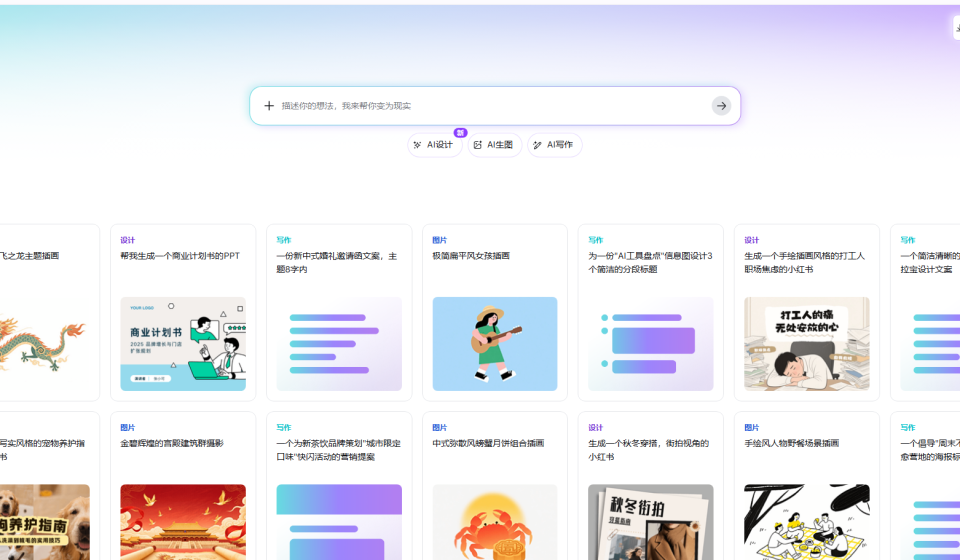
Canva AI isn’t a single tool — it’s a collection of AI features integrated into Canva’s design platform. The main ones are Magic Write (text generation), Magic Media (image and video generation), and Magic Edit (photo editing and background removal).
What interested me was the accessibility. Canva has over 100 million users, and most of its AI features are available on the free plan (with daily limits). I didn’t have to sign up for another account or learn new commands — I just opened Canva and started testing.
How I Tested Canva AI — My Process
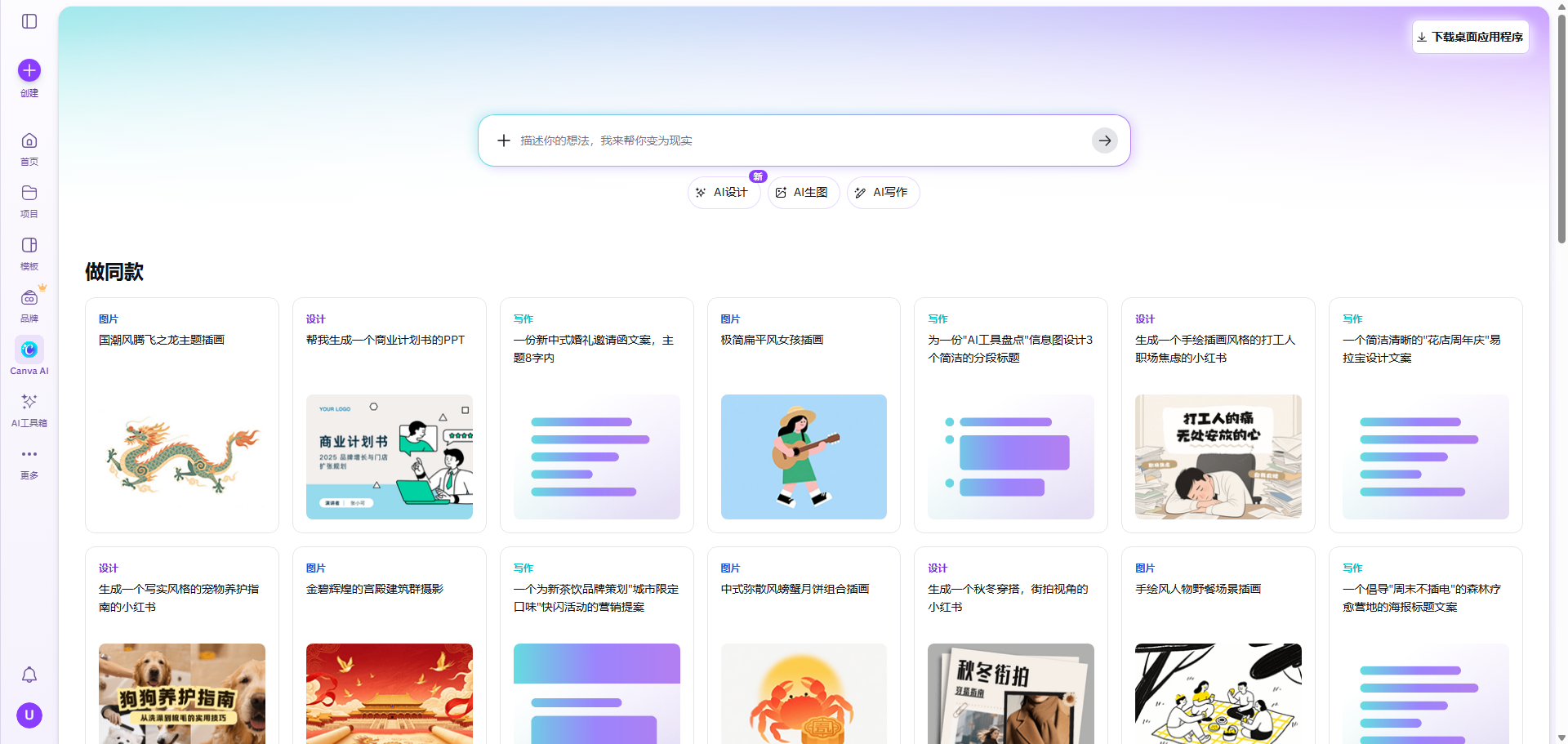
I gave myself three real-world tasks to evaluate Canva’s AI:
- Write a blog post outline about AI tools for small business owners.
- Generate a custom hero image for that blog post using text-to-image.
- Edit an existing photo — remove the background and change the color tone.
I used the free tier for most of my testing, but I also briefly upgraded to Canva Pro ($12.99/month) to see the differences. My goal was to figure out: is the free version enough for a blogger or small creator?
Magic Write — The AI Text Generator
Magic Write is Canva’s built-in copywriting assistant. You can access it in any design by typing “/magic” or clicking the Magic Write icon. I tested it for blog outlines, social captions, and even email newsletters.
Blog Outline Test
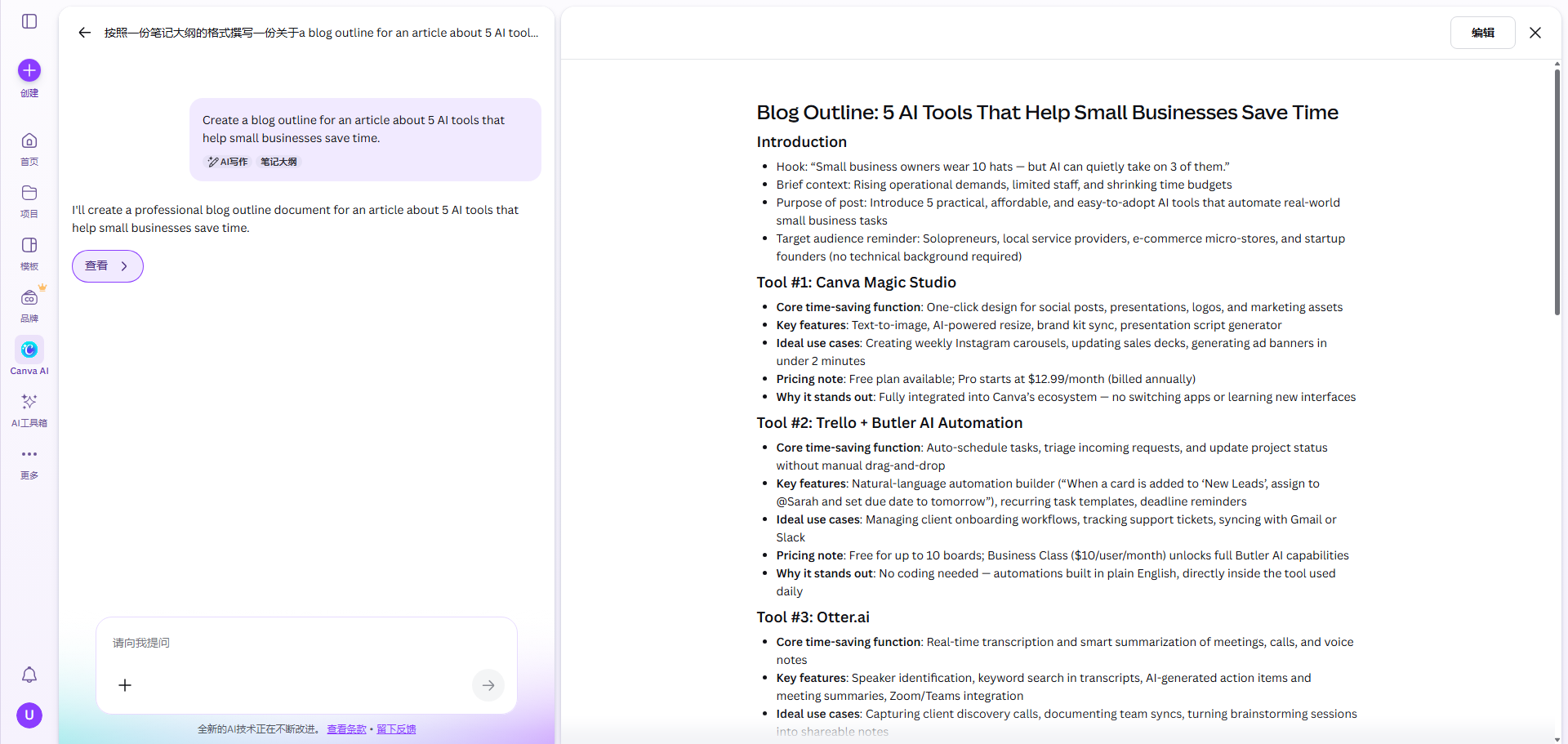
My prompt: “Create a blog outline for an article about 5 AI tools that help small businesses save time.”
Magic Write returned a solid structure:
- Introduction: Why small businesses need AI
- Tool 1: ChatGPT for customer support
- Tool 2: Jasper for content marketing
- Tool 3: Canva AI for design
- Tool 4: Grammarly for proofreading
- Tool 5: Otter.ai for meeting notes
- Conclusion + call to action
The outline was usable, though a bit generic. I compared it to ChatGPT (free version), and ChatGPT gave me more creative angles. But for a quick starting point, Magic Write did the job.
Social Caption Test
I asked for “10 engaging captions for an Instagram post about productivity tips.” The results were decent — about 7 out of 10 were actually usable. Some were repetitive, but I didn’t expect perfection from a free tool.
What impressed me was the tone adjustment. Magic Write lets you pick from “funny”, “professional”, “enthusiastic”, or “urgent” before generating. That’s a nice touch.
Magic Media — Text-to-Image Generation
This was the feature I was most curious about. Canva’s Magic Media generates images and videos from text prompts. It uses AI models similar to DALL·E or Stable Diffusion, but integrated directly into the design canvas.
I tested three prompts:
- “Futuristic workspace with holographic screens, neon lighting, high quality”
- “Watercolor painting of a fox in a forest, soft colors”
- “Minimalist product photography of a smartwatch on a marble table”
Here’s what I got:
- The futuristic workspace was decent — good composition but some strange artifacts on the holograms.
- The watercolor fox was genuinely impressive. It looked like a real painting, not a cheap filter.
- The product photo was underwhelming. The watch shape was slightly distorted, and the marble texture was off.
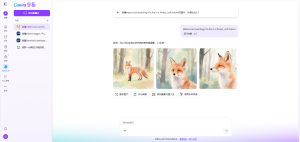
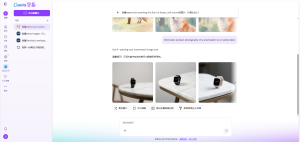
Overall, Magic Media is good for abstract or artistic images, but less reliable for realistic product shots. On the free plan, you get 50 lifetime credits. On Canva Pro, you get 500 per month. That’s enough for a blogger’s needs, but if you generate dozens of images daily, you’ll hit the limit quickly.
Magic Edit — Photo Editing & Background Removal
This is where Canva AI really shines. The background remover works instantly — I uploaded a photo of myself with a messy background, clicked “Remove Background”, and within 2 seconds I had a clean cutout. No manual selection needed.
I also tested Magic Eraser (removes unwanted objects) and Magic Expand (extends the canvas with AI-generated content). The eraser worked well on small objects like a coffee cup, but struggled with larger elements like a person in the background. Magic Expand produced convincing results for landscape photos, but sometimes repeated patterns unnaturally.
For a free tool, these editing features are remarkable. Canva Pro unlocks unlimited uses, but the free version already gives you a generous amount (50 background removals, for example).
Canva AI Pricing — Free vs Pro vs Teams
Here’s the breakdown as of 2026:
PlanPriceAI CreditsKey Limits
| Free | $0 | 50 Magic Media credits (lifetime), limited Magic Write | Basic features, watermark on some outputs |
| Canva Pro | $12.99/month | 500 Magic Media credits/month, unlimited Magic Write | Full access, background remover, brand kit |
| Teams | $14.99/user/month | Same as Pro + collaboration tools | For businesses and teams |
From my testing, the free tier is surprisingly generous. I could write a few blog outlines, generate 20-30 images, and remove backgrounds on 50 photos without paying anything. The catch is that some AI outputs (like Magic Media) may include a small watermark on the free plan, but it’s not intrusive.
What I Liked About Canva AI
- No learning curve — If you’ve used Canva before, you’ll find everything familiar. The AI features are integrated seamlessly.
- Generous free tier — 50 free AI images and many editing tools without paying. That’s rare these days.
- Background removal is incredible — It’s fast, accurate, and free. I used it for multiple projects.
- Magic Write is good for quick drafts — Not as powerful as ChatGPT, but good for social captions and simple outlines.
- All-in-one platform — You can write, generate images, and design in one place. No tab switching.
What I Didn’t Like
- Magic Media quality is inconsistent — Some images look great, others have obvious artifacts. It’s not as reliable as Midjourney or DALL·E 3.
- Credit limits on free plan — 50 lifetime credits for image generation means once they’re gone, they’re gone. That’s fine for occasional use, but heavy users will need Pro.
- Magic Write lacks depth — For long-form content or detailed research, it falls short. Stick to ChatGPT for serious writing.
- Watermark on some free outputs — Not a dealbreaker, but noticeable.
Canva AI vs Dedicated Tools — My Take
- vs ChatGPT: ChatGPT is better for long-form writing, research, and complex prompts. Canva AI’s Magic Write is faster for short copy and captions.
- vs Midjourney: Midjourney wins for artistic quality and creative control. Canva AI wins for convenience and price (free tier).
- vs Remove.bg: Canva’s background remover is just as good and completely free. I’d use Canva over paid background removal tools.
My honest opinion: Canva AI isn’t trying to beat specialized tools. It’s giving casual creators enough AI power to get things done without leaving Canva. And for that, it works really well.
Who Should Use Canva AI?
- Bloggers and social media managers — You’ll love the speed. Generate images, write captions, and design posts in one place.
- Small business owners on a budget — The free tier covers basic needs. You can create professional-looking graphics without hiring a designer.
- Students and teachers — Magic Write helps with outlines, Magic Media creates visuals for presentations. And it’s free.
- Anyone already using Canva — You’re already there. Just try the AI features. They’re built right in.
Who should skip it? Professional designers who need full control over AI generation (use Midjourney + Photoshop). Serious content writers who need long-form AI writing (use Jasper or ChatGPT).
Final Verdict — Will I Keep Using Canva AI?
After five days of testing, I’m impressed. I didn’t expect much from a design tool’s AI features, but Canva has built a genuinely useful suite. I still use ChatGPT for long-form writing and Midjourney for high-end art, but for quick social media graphics, blog headers, and background removal, Canva AI has become my go-to.
I’ll keep using the free tier for most tasks. The 50 image credits are enough for a month of blog graphics. And the unlimited Magic Write and background removal are too useful to ignore.
My final rating: ⭐ 4.3/5 — loses points for inconsistent image quality and credit limits, but wins on accessibility, integration, and free tier generosity.
FAQ
Q: Is Canva AI completely free?
A: Many features are free, including Magic Write (unlimited) and background removal (50 uses). Magic Media image generation gives you 50 lifetime credits for free. After that, you need Canva Pro ($12.99/month) for more credits.
Q: Can I use Canva AI images commercially?
A: Yes, even on the free plan, you can use generated images for commercial purposes (subject to Canva’s content license). But check the terms for any specific restrictions.
Q: Does Canva AI work on mobile?
A: Yes, the Canva mobile app includes most AI features, though the interface is more limited than desktop.
Q: How does Magic Write compare to ChatGPT?
A: ChatGPT is more powerful for research, long-form writing, and complex prompts. Magic Write is better for short, fast copy — especially when you’re already designing in Canva.