DALL·E 3 Review 2026: Is OpenAI’s Image Generator Worth It? I Tested for 2 Weeks
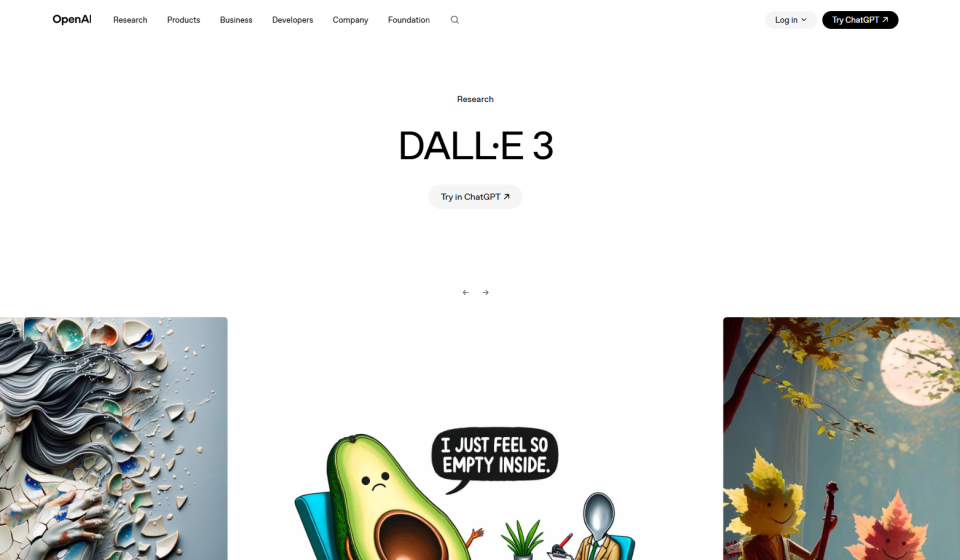
DALL·E 3 Review 2026: Is OpenAI’s Image Generator Worth It? I Tested for 2 Weeks
Midjourney. Leonardo. Stable Diffusion. The AI image space is crowded. But DALL·E 3 — OpenAI’s image generator — has a unique advantage: it’s built into ChatGPT. No separate interface, no Discord commands, no learning curve. I spent two weeks testing DALL·E 3 through my ChatGPT Plus subscription ($20/month). I generated images for my blog, social media, and product mockups. I compared it directly to Midjourney and Leonardo. Here’s my honest DALL·E 3 review.
What Is DALL·E 3? (And Why I Gave It a Shot)
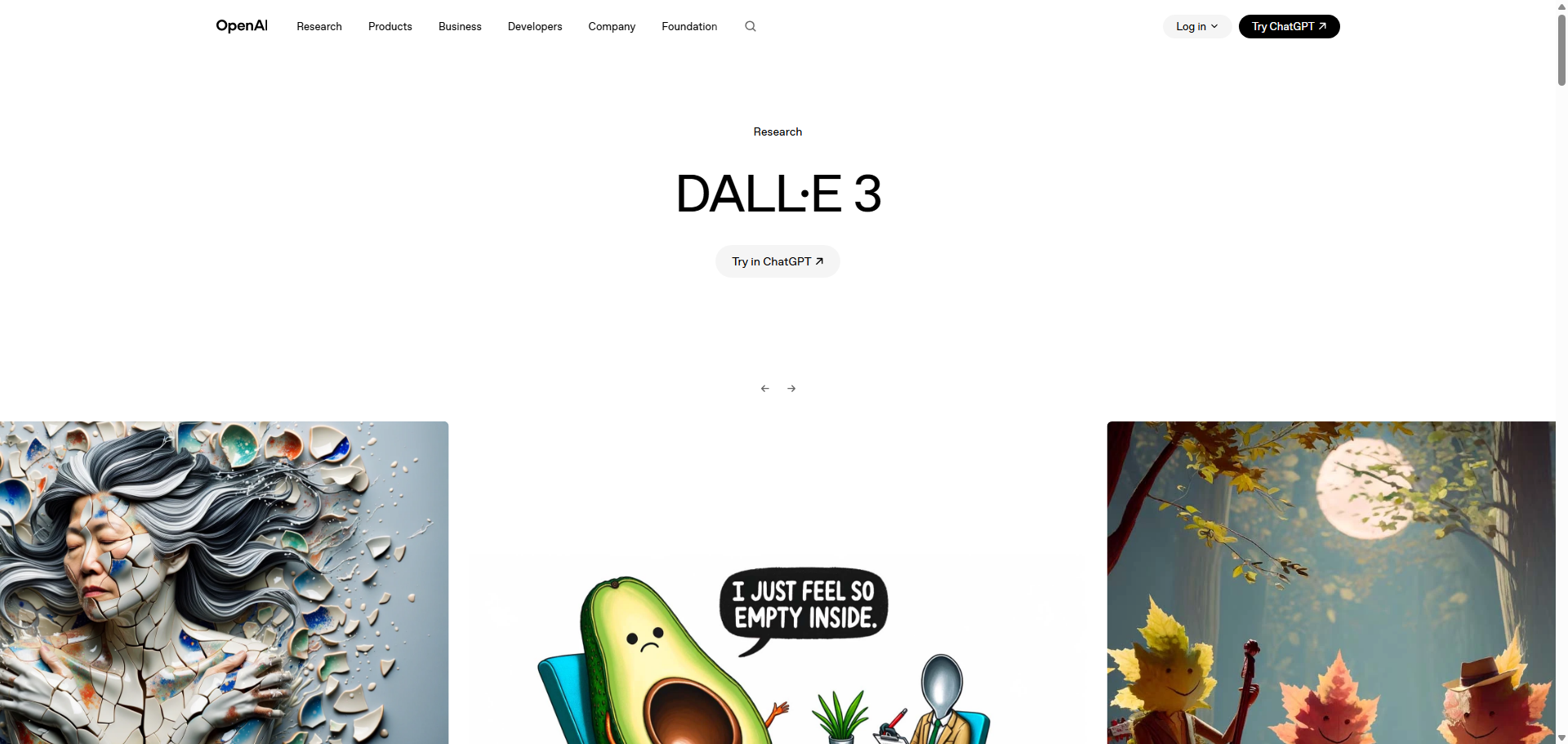
DALL·E 3 is OpenAI’s latest image generation model, integrated directly into ChatGPT Plus. Unlike Midjourney (Discord-only) or Leonardo (separate web app), DALL·E 3 lives inside the ChatGPT interface. You type a prompt, and it generates images inline — no switching tabs or learning commands.
What attracted me was the integration. I already use ChatGPT for writing and research. Adding image generation to the same workflow seemed efficient. Also, DALL·E 3 is known for two strengths: photorealism and text rendering (generating readable words in images), which Midjourney struggles with.
How I Tested DALL·E 3 — My Process
I gave myself four real-world tasks to evaluate DALL·E 3:
- Photorealistic product shot — A smartwatch on a marble table, studio lighting
- Image with readable text — A coffee shop sign that says “Heitan Lab”
- Blog header image — Abstract tech scene for my AI tools roundup
- Side-by-side comparison — Same prompts on DALL·E 3 vs Midjourney vs Leonardo
I used DALL·E 3 via ChatGPT Plus ($20/month), which includes access to GPT-4 and other features. No additional cost for image generation.
First Impressions — The ChatGPT Integration
Using DALL·E 3 is effortless. In any ChatGPT conversation, you just describe what you want, and it generates images. You can ask for variations, request modifications, or generate multiple versions. The interface is completely natural language — no parameters like `–ar 16:9` or `–stylize`.
The generation speed is fast — about 10-15 seconds per image. That’s quicker than Midjourney (30-60 seconds) and comparable to Leonardo.
Test 1: Photorealistic Product Shot
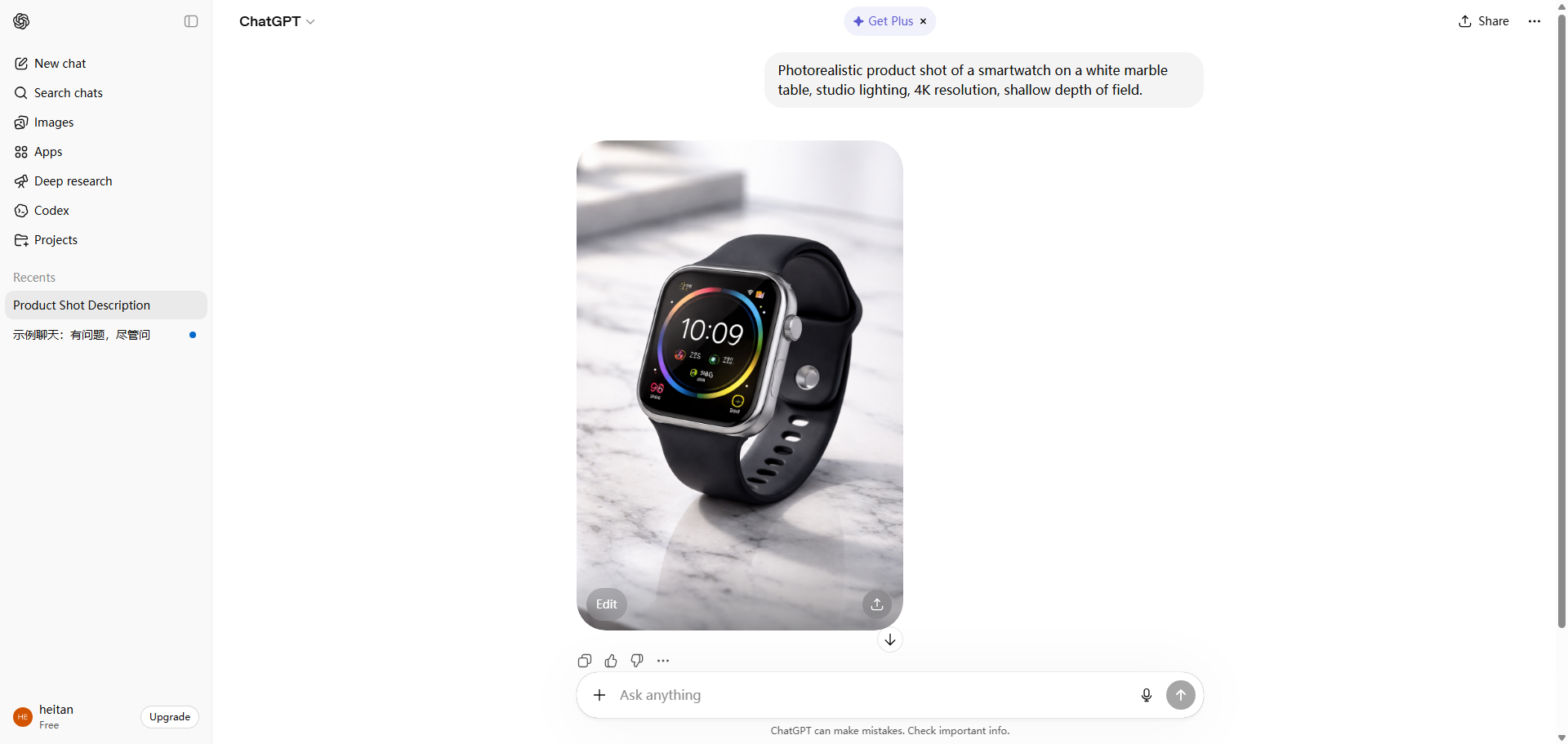
My prompt: “Photorealistic product shot of a smartwatch on a white marble table, studio lighting, 4K resolution, shallow depth of field.”
DALL·E 3 returned a 1024×1024 image in about 12 seconds. The result was stunning — the marble texture was realistic, the lighting was soft and professional, and the watch face showed a clear time (10:10, standard for product shots). Even the reflections on the watch glass were accurate.
I compared this to Midjourney (same prompt). Midjourney’s result was also good, but the lighting was more dramatic (less realistic) and the watch face was slightly distorted. For photorealism, DALL·E 3 won easily.
Test 2: Image with Readable Text
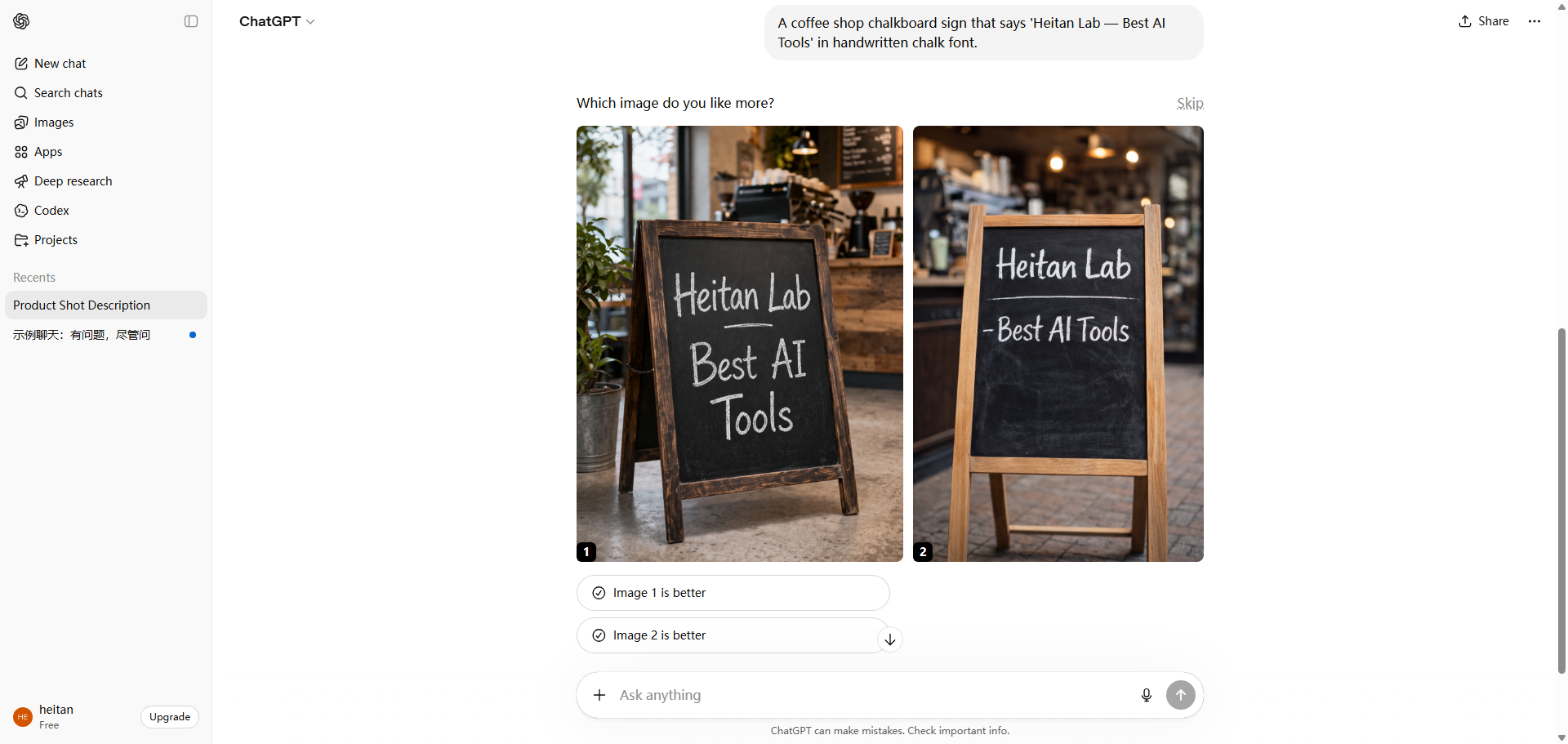
My prompt: “A coffee shop chalkboard sign that says ‘Heitan Lab — Best AI Tools’ in handwritten chalk font.”
This is where DALL·E 3 shines. Midjourney and Leonardo both struggle with text — words often come out as gibberish. DALL·E 3 generated a sign where every word was perfectly readable. The font looked like real chalk, the spacing was natural, and there were no typos.
I tested this five times with different text prompts (blog headers, social media graphics, product labels). DALL·E 3 got the text right 4 out of 5 times. Midjourney succeeded 0 out of 5. If you need readable text in your images, DALL·E 3 is the only reliable choice.
Test 3: Blog Header Image (Abstract Tech Scene)
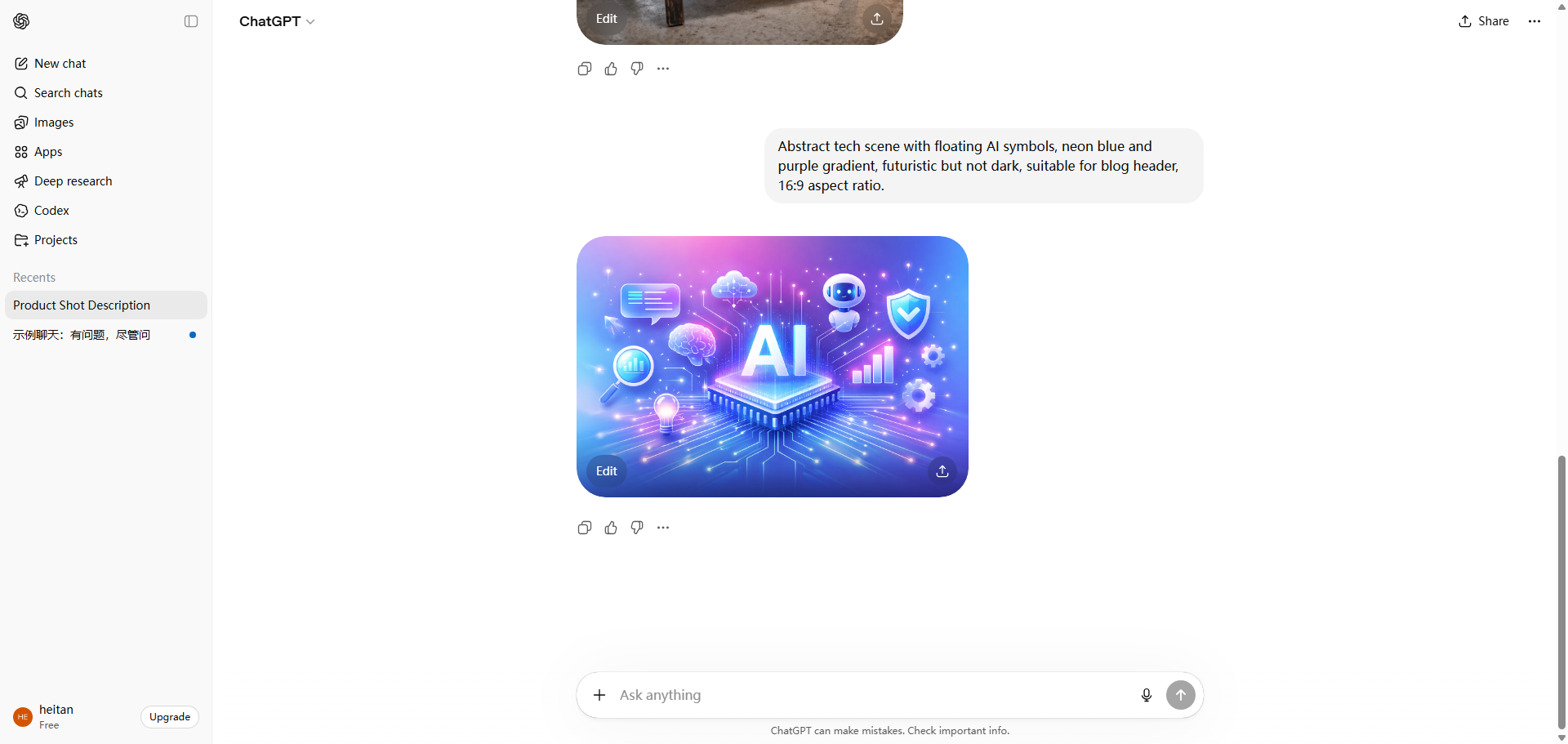
My prompt: “Abstract tech scene with floating AI symbols, neon blue and purple gradient, futuristic but not dark, suitable for blog header, 16:9 aspect ratio.”
DALL·E 3 generated a beautiful, modern header image. The composition was balanced, the colors were vibrant, and there were no weird artifacts. I used it directly on my blog without editing.
Midjourney’s version was more artistic — painterly, with richer textures — but also darker and moodier. For my blog’s bright, professional aesthetic, DALL·E 3’s output was a better fit.
Test 4: DALL·E 3 vs Midjourney vs Leonardo — Full Comparison
I ran the same five prompts across all three tools. Here’s my summary:
- Photorealism: DALL·E 3 wins. Its product shots, portraits, and scenes look like real photographs.
- Artistic quality: Midjourney wins. For fantasy, sci-fi, and stylized art, Midjourney’s outputs are more beautiful.
- Text rendering: DALL·E 3 wins by a massive margin. Midjourney and Leonardo can’t generate readable text reliably.
- Ease of use: DALL·E 3 wins. Natural language prompts inside ChatGPT vs Discord commands or separate web apps.
- Pricing: DALL·E 3 ($20/month for ChatGPT Plus) is more expensive than Leonardo’s free tier but cheaper than Midjourney’s Standard plan ($30/month) if you also use ChatGPT for writing.
- Customization: Midjourney wins. Parameters like `–stylize`, `–chaos`, and `–no` give you fine control. DALL·E 3 offers less control.
DALL·E 3 Pricing — ChatGPT Plus vs API
Here’s the breakdown as of 2026:
Access MethodPriceWhat You Get
| ChatGPT Plus | $20/month | Unlimited DALL·E 3 generations + GPT-4 access + other features |
| DALL·E 3 API | Pay as you go | $0.04-$0.08 per image (1024×1024) |
>
From my testing, ChatGPT Plus is the better deal for most users. For $20/month, you get unlimited image generation plus access to GPT-4 for writing, research, and coding. If you generate more than 250-500 images per month, the API might be cheaper, but for most bloggers, the subscription is more convenient.
Note: Unlike Midjourney’s tiered plans, DALL·E 3 doesn’t have resolution limits or watermarks. All outputs are high-quality and watermark-free.
What I Liked About DALL·E 3
- Photorealism is unmatched — For product shots, portraits, and realistic scenes, DALL·E 3 is the best.
- Readable text — The only AI image generator that reliably renders words correctly. This alone is worth the subscription for social media managers.
- ChatGPT integration — No new interface to learn. No Discord. No parameters. Just type and generate.
- Fast generation — 10-15 seconds per image, faster than Midjourney.
- No watermarks — All outputs are clean and professional.
- Unlimited generations on Plus plan — No credit system, no daily limits.
What I Didn’t Like
- Less artistic than Midjourney — For fantasy, surreal, or highly stylized art, Midjourney produces more beautiful results.
- Less control — No parameters for stylization, chaos, or aspect ratio beyond natural language prompts. You can’t fine-tune as precisely as Midjourney.
- Requires ChatGPT Plus — $20/month is more expensive than Leonardo’s free tier, though cheaper than Midjourney’s Standard if you also use ChatGPT for writing.
- No inpainting/outpainting in the chat interface — You can modify images by asking, but it’s less precise than dedicated tools.
- Content filters are strict — DALL·E 3 refuses many prompts that Midjourney accepts (violence, celebrities, certain styles).
DALL·E 3 vs Midjourney — Which Should You Choose?
After extensive testing, here’s my recommendation:
- Choose DALL·E 3 if: You need photorealism, readable text, or a simple workflow. You already use ChatGPT. You create product shots, social media graphics, or blog headers.
- Choose Midjourney if: You need artistic, stylized, or fantasy images. You’re willing to learn Discord commands. You want fine-grained control over outputs.
- Use both if: Your budget allows. I keep both — Midjourney for artistic blog headers, DALL·E 3 for product shots and text-heavy graphics.
Who Should Use DALL·E 3?
- Bloggers and content creators — Blog headers, social media graphics, featured images — DALL·E 3 handles it all.
- Social media managers — The text rendering ability alone makes it worth it. Create graphics with readable quotes, signs, or labels.
- E-commerce sellers — Photorealistic product shots without hiring a photographer.
- Anyone already paying for ChatGPT Plus — You already have access. Just start using it.
Who should skip it? Artists seeking stylized, creative control — Midjourney is better. People on a tight budget — Leonardo’s free tier is sufficient for basic needs.
Final Verdict — Will I Keep Using DALL·E 3?
After two weeks of testing, I’m keeping ChatGPT Plus primarily for DALL·E 3. I already used ChatGPT for writing, so adding image generation for no extra cost was a no-brainer.
I still use Midjourney for artistic blog headers — its outputs are more beautiful. But for product shots, social media graphics with text, and any image where photorealism matters, DALL·E 3 is my go-to.
If you’re choosing between the two, consider your use case. For me, having both is ideal. But if I had to pick one, I’d pick DALL·E 3 for its versatility, ease of use, and text rendering superpower.
My final rating: ⭐ 4.6/5 — loses points for less artistic control and strict content filters, but wins on photorealism, text rendering, and ChatGPT integration.
FAQ
Q: Is DALL·E 3 free?
A: No. Access is through ChatGPT Plus ($20/month) or pay-as-you-go API ($0.04-$0.08 per image). There’s no free tier.
Q: Can I use DALL·E 3 images commercially?
A: Yes. OpenAI grants you full ownership of generated images, including commercial use.
Q: Does DALL·E 3 have watermarks?
A: No. Unlike free tiers of other tools, DALL·E 3 outputs have no watermarks.
Q: Is DALL·E 3 better than Midjourney?
A: For photorealism and text rendering — yes. For artistic, stylized images — no. They excel at different things. Use both if you can.