







Adobe Firefly Review 2026: Can It Replace Photoshop? I Tested for 2 Weeks
Adobe Firefly Review 2026: Can It Replace Photoshop? I Tested for 2 Weeks
Adobe Firefly is the company’s answer to Midjourney and DALL·E 3. But unlike those tools, Firefly is designed to integrate directly with Photoshop — generative fill, text-to-image, vector recolor, and more. I spent two weeks testing Firefly’s free tier and its integration with Photoshop. I wanted to know: can Firefly replace traditional editing workflows? Or is it just another AI image toy? Here’s my honest Adobe Firefly review.

What Is Adobe Firefly? (And Why I Gave It a Shot)
Firefly is Adobe’s family of generative AI models, built into Photoshop, Illustrator, and Express. The key features are:
- Generative Fill — Select an area in Photoshop, type what you want, and AI fills it in.
- Text-to-image — Generate images from prompts (similar to Midjourney).
- Generative Recolor — Change colors of vector graphics instantly.
- Text effects — Apply styles to text with prompts.
What attracted me was the Photoshop integration. I already use Photoshop for editing blog images. If Firefly could speed up my workflow, it would be a game-changer. Also, Adobe offers a generous free tier: 25 generative credits per month (renewed monthly), no credit card required.
How I Tested Adobe Firefly — My Process
I gave myself four real-world tasks to evaluate Firefly:
- Generative Fill in Photoshop — Remove unwanted objects from a photo
- Text-to-image — Generate a blog header from scratch
- Extend image canvas — Expand a photo beyond its original borders
- Compare to DALL·E 3 and Midjourney — Same prompts, different outputs
I used Firefly’s free tier (25 credits/month) for most testing. I also tested the Photoshop integration using my existing Creative Cloud subscription.
First Impressions — The Interface
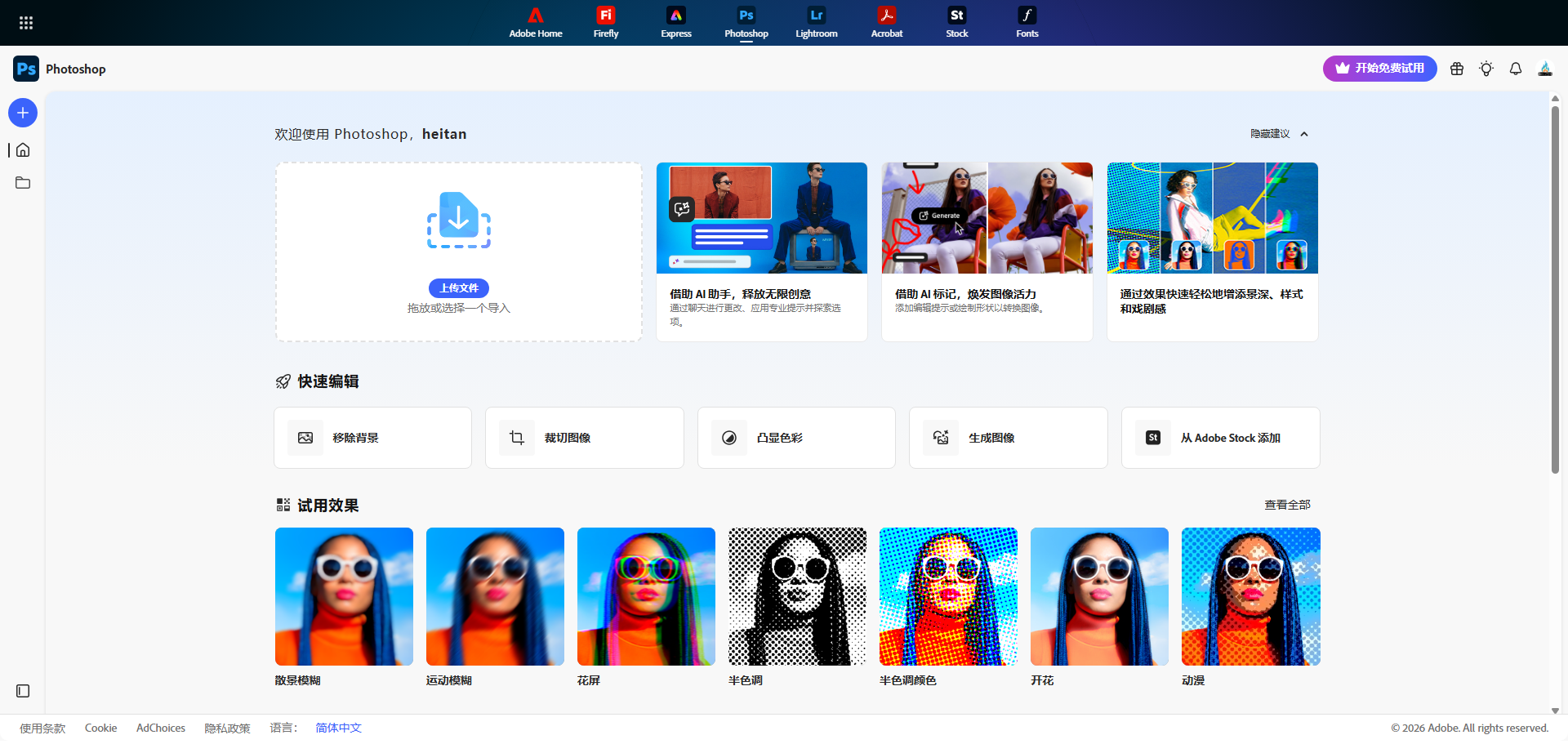
Firefly’s web interface is clean and Adobe-like. It feels professional, not toy-like. You can generate images, apply text effects, recolor vectors, and edit photos — all in the browser. The Photoshop integration is seamless: right-click a layer, select “Generative Fill,” type a prompt, and AI fills the selection.
Generation speed is about 10-20 seconds — comparable to DALL·E 3. The free tier gives you 25 monthly credits (1 credit = 1 generation). That’s enough for testing but not for heavy use. Paid plans start at $4.99/month for 100 credits.
Test 1: Generative Fill in Photoshop
This is Firefly’s killer feature. I opened a photo of a city street with a trash can in the corner. I selected the trash can, typed “remove trash can, continue street texture,” and clicked Generate.
Firefly offered three variations. The first two were seamless — the street continued naturally, no visible seams. The third had a slight color mismatch. I chose the best one, and the edit was done in 10 seconds. No clone stamp, no healing brush, no manual work.
I tested this on several photos: removing people from backgrounds, filling in missing areas, adding objects. Generative Fill worked perfectly about 80% of the time. The failures were usually with complex textures (faces, detailed patterns). For simple objects, it’s magical.
Test 2: Text-to-Image
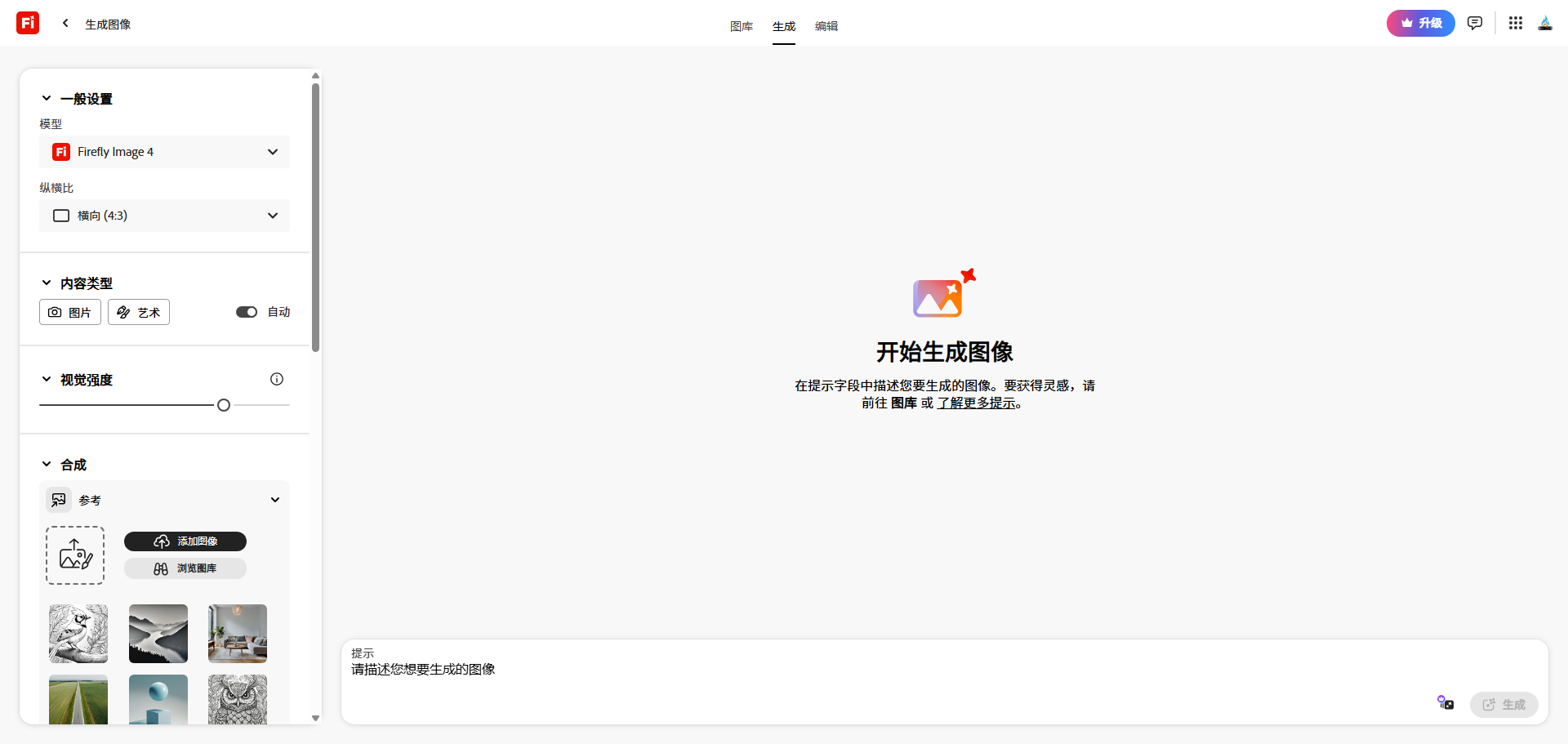
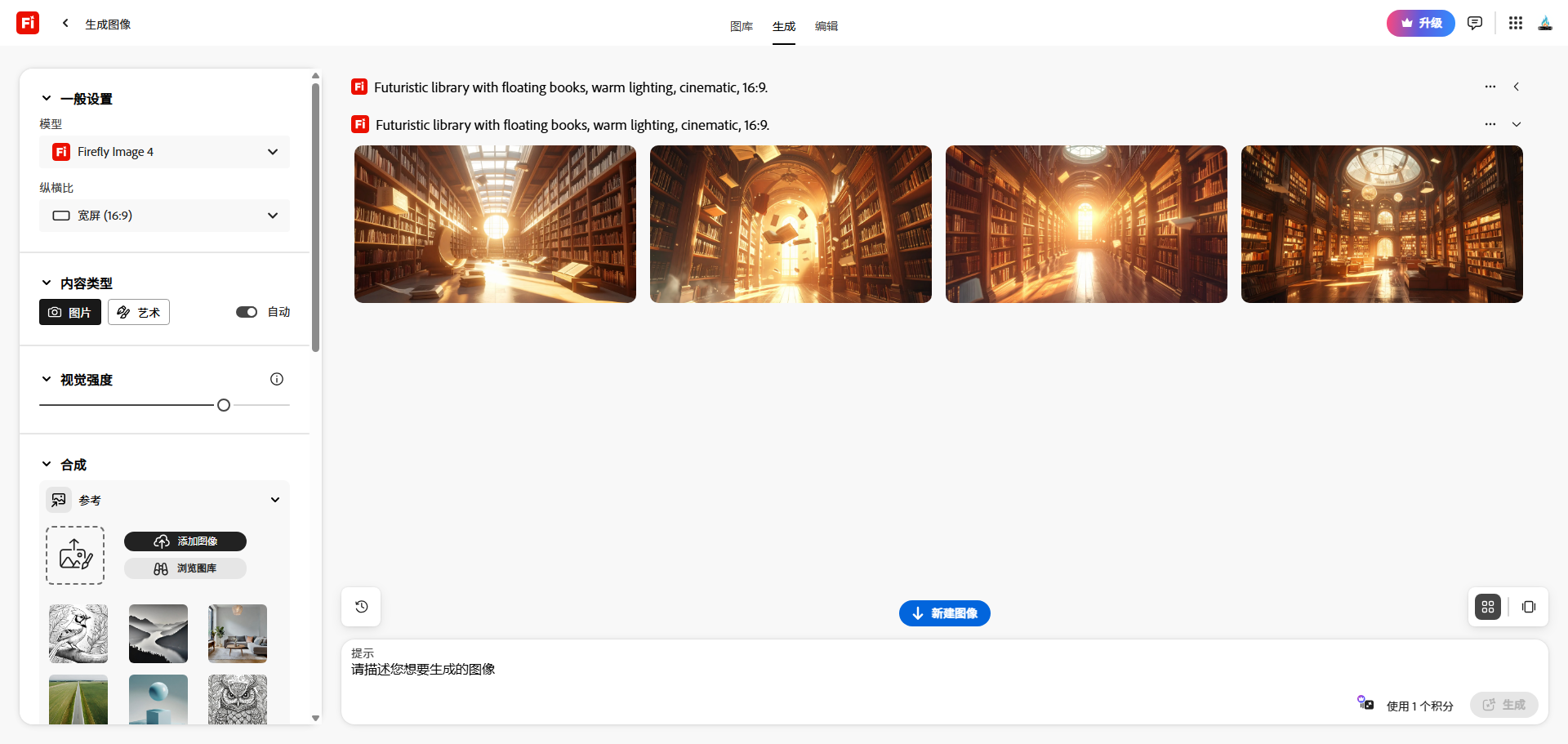
My prompt: “Futuristic library with floating books, warm lighting, cinematic, 16:9.”
Firefly generated a beautiful image — good composition, realistic lighting, and the floating books looked natural. Compared to DALL·E 3, Firefly’s style was slightly more painterly (less photorealistic). Compared to Midjourney, it was less artistic but more “useful” — the images felt like they could be used in a blog or presentation without being distracting.
I generated five variations. Four were usable. Firefly’s text-to-image quality is solid, though not best-in-class. For bloggers who need quick, clean visuals, it’s more than enough.
Test 3: Extend Image Canvas
This is another standout feature. I had a portrait photo that was cropped too tightly. I expanded the canvas in Photoshop, selected the empty area, and typed “extend background, continue wall texture.” Firefly generated a seamless extension — the wall continued naturally, and the lighting matched perfectly.
I also tested extending a landscape photo horizontally. Firefly added new sky, trees, and ground that matched the original style. This is a feature that DALL·E 3 and Midjourney don’t offer natively. For photographers and designers, it’s incredibly useful.
Test 4: Firefly vs DALL·E 3 vs Midjourney — Full Comparison
I ran the same five prompts across all three tools. Here’s my summary:
- Photorealism: DALL·E 3 wins. Firefly is good but slightly more stylized.
- Artistic quality: Midjourney wins. Firefly’s outputs are more utilitarian.
- Photoshop integration: Firefly wins by a massive margin. Generative fill and canvas extension are game-changers for editors.
- Ease of use: Firefly wins. Clean web interface and seamless Photoshop integration.
- Pricing: Firefly’s free tier (25 credits/month) is generous but limited. DALL·E 3 requires ChatGPT Plus ($20/month). Midjourney starts at $10/month.
- Unique features: Firefly’s generative fill and canvas extension are unique. No other tool does this as well.
Adobe Firefly Pricing — Free vs Premium vs Credits
Here’s the breakdown as of 2026:
PlanPriceGenerative CreditsResolutionWatermark
| Free | $0/month | 25/monthUp to 2048x2048No |
| Premium | $4.99/month | 100/monthUp to 2048x2048No |
| Additional credits | $3.99 for 100 | One-timeSameNo |
>
From my testing, the free tier is sufficient for light use (25 generations per month). For anyone editing photos regularly in Photoshop, the Premium plan at $4.99/month is a steal — 100 credits is enough for dozens of generative fills and image generations.
Note: Unlike Midjourney or DALL·E 3, Firefly doesn’t have a subscription for unlimited generations. You pay per credit or per month for a credit bundle. For most bloggers, 100 credits/month is plenty.
What I Liked About Adobe Firefly
- Generative Fill is revolutionary — Removing objects, extending canvas, adding elements — all in seconds. This alone justifies using Firefly.
- Seamless Photoshop integration — No switching between tools. Generative fill is built right into the right-click menu.
- Clean, professional interface — No Discord, no weird parameters. Just type and generate.
- No watermarks on free tier — Unlike Pika or Runway’s free plans, Firefly outputs are clean.
- Affordable paid plans — $4.99/month for 100 credits is cheaper than ChatGPT Plus or Midjourney.
- Text effects and vector recolor — Unique features for designers.
What I Didn’t Like
- Credit system limits creativity — You can’t experiment freely without worrying about running out of credits. Midjourney’s unlimited generation on paid plans is better for heavy users.
- Less artistic than Midjourney — Firefly’s outputs are good but not stunning. For fantasy or highly stylized art, Midjourney is better.
- Slower than DALL·E 3 — Generation takes 10-20 seconds vs DALL·E 3’s 10-15 seconds. Not a huge difference, but noticeable.
- Content filters are strict — Firefly refuses many prompts that DALL·E 3 accepts (violence, gore, certain styles).
- No mobile app — Firefly is web-only and Photoshop-integrated. No standalone mobile experience.
Firefly vs Generative Fill in Photoshop vs Other AI Tools
Before Firefly, Adobe had “Content-Aware Fill” — a tool that filled selections by sampling nearby pixels. It worked sometimes. Firefly’s Generative Fill is a massive upgrade: it understands context, generates new content, and produces seamless results.
Compared to DALL·E 3 or Midjourney, Firefly isn’t trying to beat them at artistic generation. It’s designed to augment existing workflows — especially in Photoshop. For photographers, designers, and content creators who already use Adobe products, Firefly is a no-brainer.
Who Should Use Adobe Firefly?
- Photographers and photo editors — Generative fill saves hours of manual retouching.
- Graphic designers — Extend backgrounds, add elements, recolor vectors — all within Photoshop.
- Bloggers and content creators — Generate blog headers, social graphics, and product mockups without leaving your editing software.
- Anyone already paying for Creative Cloud — You already have access. Just start using it.
Who should skip it? People who don’t use Photoshop or Adobe products — you’re paying for features you won’t use. Artists seeking stylized, artistic images — Midjourney is better. Heavy users who generate hundreds of images daily — the credit system will be expensive.
Final Verdict — Will I Keep Using Adobe Firefly?
After two weeks of testing, I’m keeping the free tier and using Firefly regularly — but only for generative fill and canvas extension. For text-to-image, I still prefer DALL·E 3 for photorealism and Midjourney for artistic quality. But for editing existing photos, Firefly is irreplaceable.
I’ll likely upgrade to the Premium plan ($4.99/month) once I hit the free credit limit. 25 credits per month is fine for light testing, but for regular use, 100 credits is worth the small cost.
If you already use Photoshop, download Firefly today. Generative fill alone will change how you edit photos. If you don’t use Photoshop, Firefly’s web interface is still useful, but you’re missing the killer feature.
My final rating: ⭐ 4.5/5 — loses points for credit limits and less artistic quality, but wins on Photoshop integration, generative fill, and value for money.
FAQ
Q: Is Adobe Firefly free?
A: Yes, there’s a free tier with 25 monthly credits. No credit card required. Premium plans start at $4.99/month for 100 credits.
Q: Do I need Photoshop to use Firefly?
A: No. Firefly has a web interface for text-to-image, text effects, and vector recolor. But the best feature (generative fill) requires Photoshop.
Q: Can I use Firefly images commercially?
A: Yes, Adobe grants commercial rights for images generated with Firefly (subject to their terms).
Q: Is Firefly better than Midjourney?
A> For generative fill and Photoshop integration — yes. For artistic, stylized images — no. They serve different purposes.